Connect Microsoft 365 or Google Workspace Email
1. Link Your Microsoft 365 or Google Workspace Mailbox
- Click your profile card at the bottom of the left sidebar to open My Profile.
- Select the My Agency Email tab.
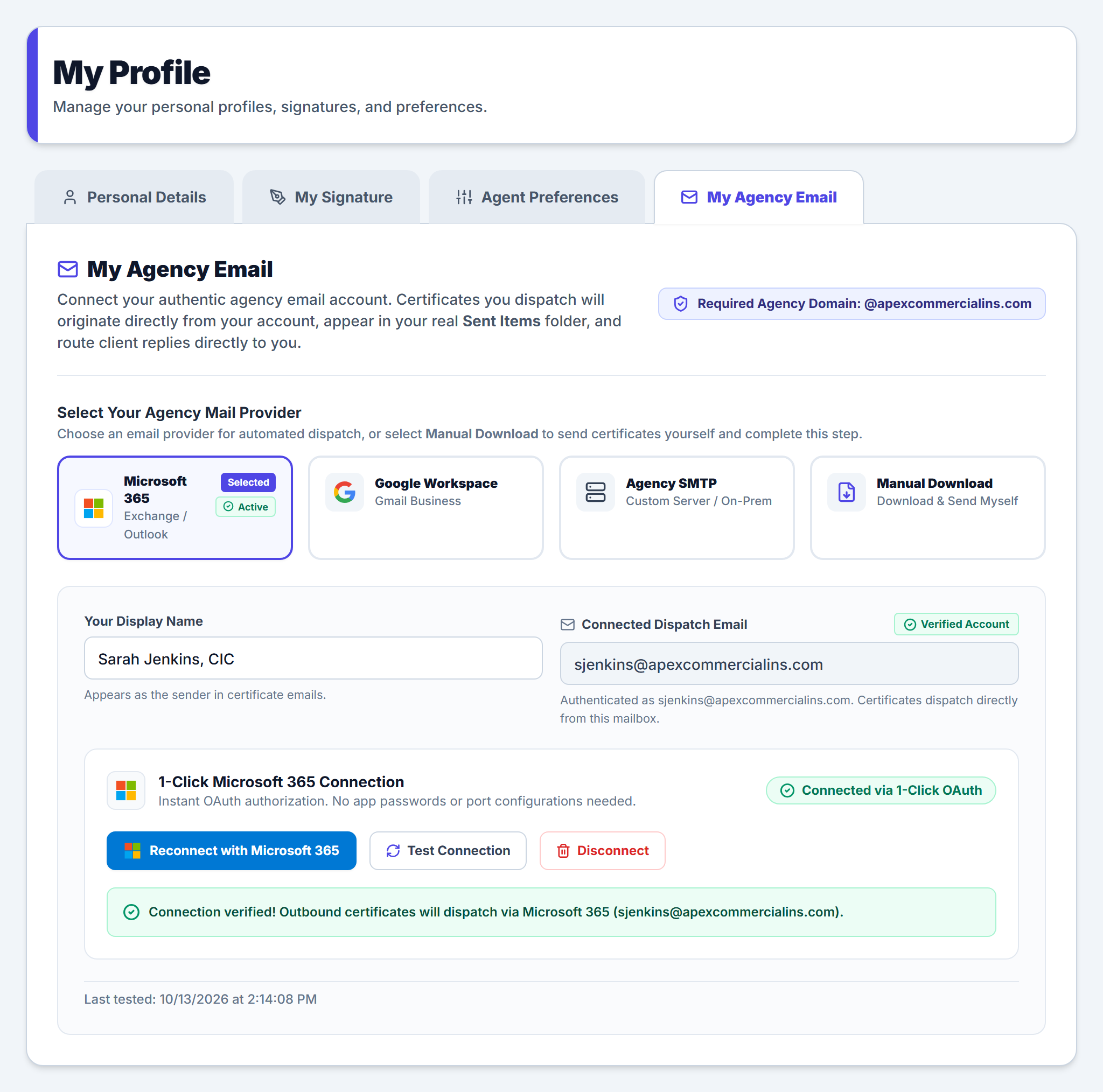
- Under Select Your Agency Mail Provider, choose Microsoft 365 (Exchange / Outlook), Google Workspace (Gmail Business), Agency SMTP, or Manual Download.
- Confirm Your Display Name and click Connect with Microsoft 365 (or Connect with Google Workspace) to authorize your work email in one click.
- Verify that your status badge updates to Connected via 1-Click OAuth and click Test Connection to confirm outbound delivery.
2. Business Domain Verification Rules
To prevent certificates from being dispatched from personal webmail accounts, only email addresses matching your agency’s primary domain can be connected. Consumer domains (@gmail.com, @outlook.com, @yahoo.com, @icloud.com) are automatically blocked.
3. How Sent Items & Client Replies Work
When you email a certificate for ACME Contractors, LLC to a general contractor like Apex General Contractors, Inc., the email is dispatched directly through Microsoft Graph or Google Workspace APIs. You will immediately see the sent message: complete with the attached ACORD PDF and sliced endorsements: inside your own Sent Items folder.
Frequently Asked Questions
Related Guides in Getting Started & Agency Setup
Was this article helpful?
Let our team know if you found what you needed.
Add Your Authorized Representative Signature
Manage Team Roles, Workspace Views & Navigation
Automate Your Commercial Agency Operations
Put Becky to work for your agency to review policies, audit coverage gaps, and issue verified ACORD certificates in seconds.