drawGetting Started & Agency Setup
Add Your Authorized Representative Signature
Updated October 2026•2 min read•For: Producers & Broker Admins
verifiedQuick Summary
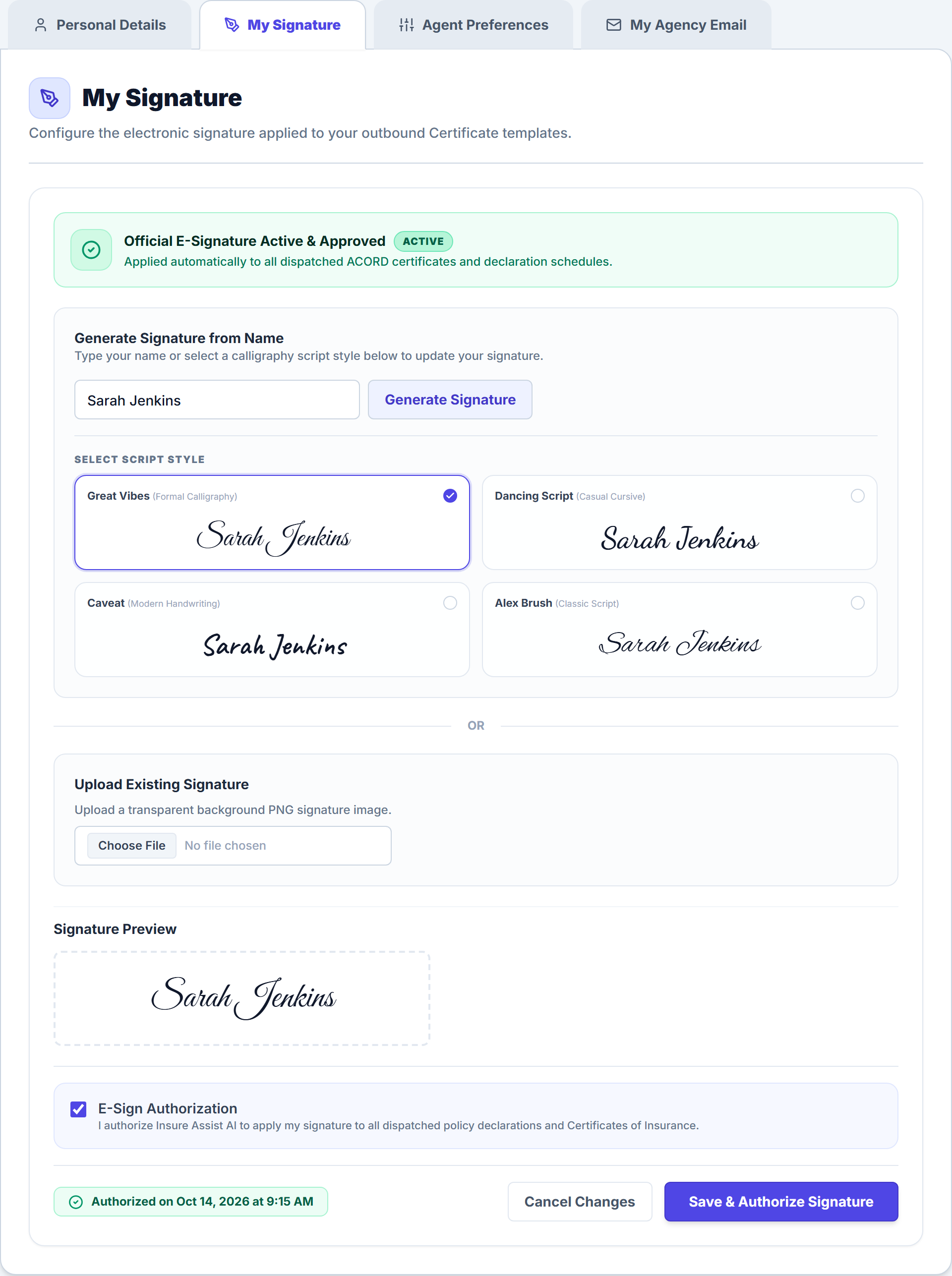
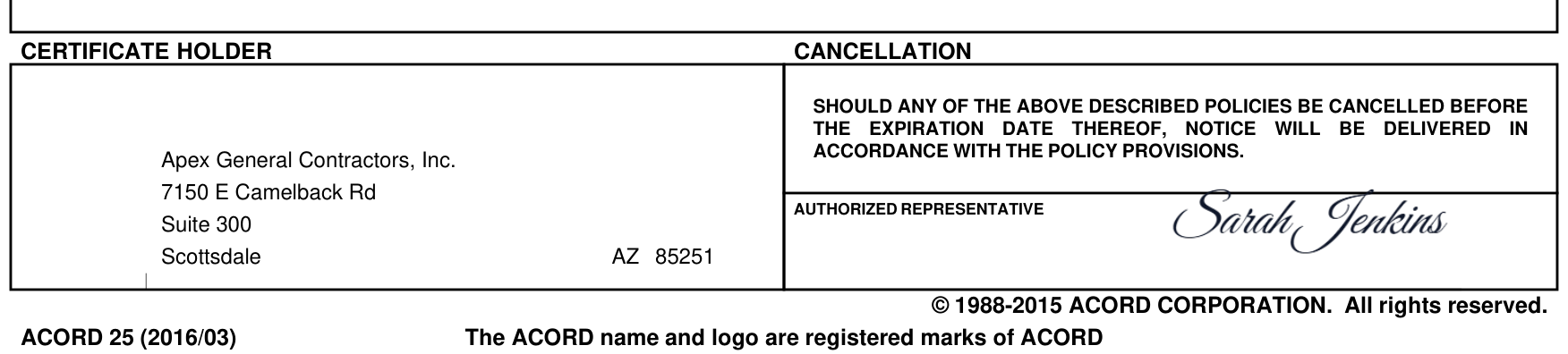
Open My Profile → My Signature in the left sidebar to either type your name into one of four cursive signature styles or upload a transparent PNG of your handwritten signature. Every ACORD 25 and ACORD 28 certificate requires an active Authorized Representative signature before it can be issued.
In this article
1. Create or Upload Your Signature
Each licensed producer sets up their signature once in their personal profile settings:
- Click your profile card at the bottom of the left sidebar (or click My Profile).
- Select the My Signature tab.
- Choose your preferred signature method:
- Generate Signature from Name: Enter your full legal name, click Generate Signature, and select your preferred script style under Select Script Style (Great Vibes, Dancing Script, Caveat, or Alex Brush).
- Upload Existing Signature: Click or drag a transparent PNG or JPG of your wet-ink signature into the upload dropzone.
2. Authorize & Save Your Signature
- Verify your signature inside the Signature Preview canvas on the right.
- Check the E-Sign Authorization box confirming that this digital image serves as your legally binding Authorized Representative signature on ACORD 25 and ACORD 28 forms.
- Click Save & Authorize Signature.
3. How the Missing Signature Safety Lock Works
If a client account is assigned to a producer who has not yet saved their signature, the client header displays a yellow Missing Agent Signature badge and pauses 1-click COI issuance until the assigned producer completes Step 2 above.
Frequently Asked Questions
To prevent unsigned ACORD forms from being sent to general contractors or lenders, Insure Assist AI locks automated COI issuance if the producer assigned to that client has not saved a signature in My Profile → My Signature.
Related Guides in Getting Started & Agency Setup
Was this article helpful?
Let our team know if you found what you needed.
arrow_backPrevious Article
Set Up Your Agency Profile & ACORD Headers
Next Articlearrow_forward
Connect Microsoft 365 or Google Workspace Email
Automate Your Commercial Agency Operations
Put Becky to work for your agency to review policies, audit coverage gaps, and issue verified ACORD certificates in seconds.